Skip to content

Run, build and govern AI agents on the aixplain OS.

One system for all your teams, agents and assets. Move them to any model or server, with nothing to rebuild.

A portable runtime and control plane for your AI agents.

Deploy on any server, connect your own models, tools and data, and every workspace builds on its own Library.

Runtime

Runs every agent, even air-gapped.

  • aixplain cloud
  • Your servers
  • Desktop

Control plane

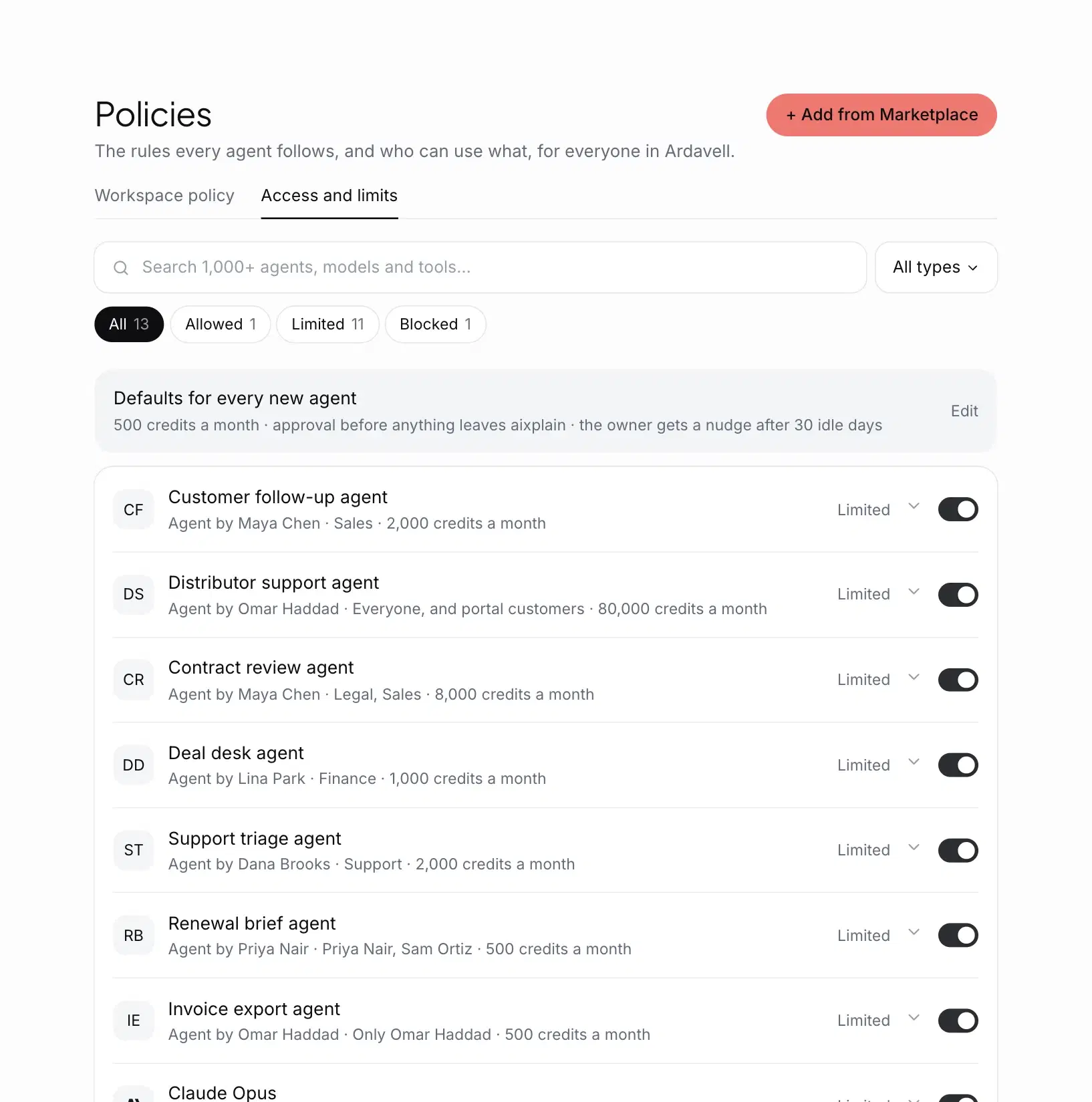
Your Library, policies, owners and budgets, and a dashboard for every run.

  • Workspace
  • Group
  • Member

Built-in agents

They work with your people and build, check and guard every agent.

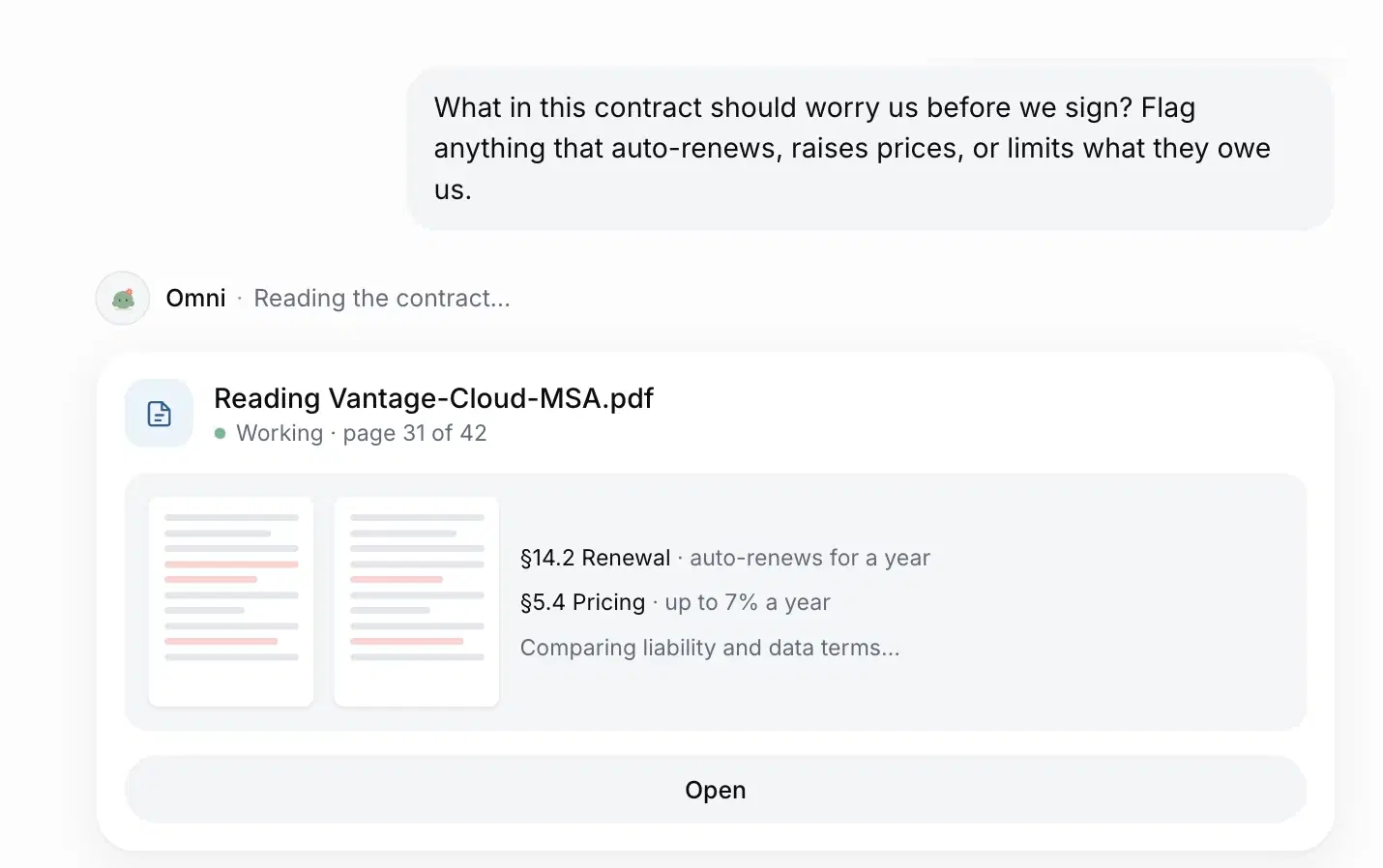
  • Omni
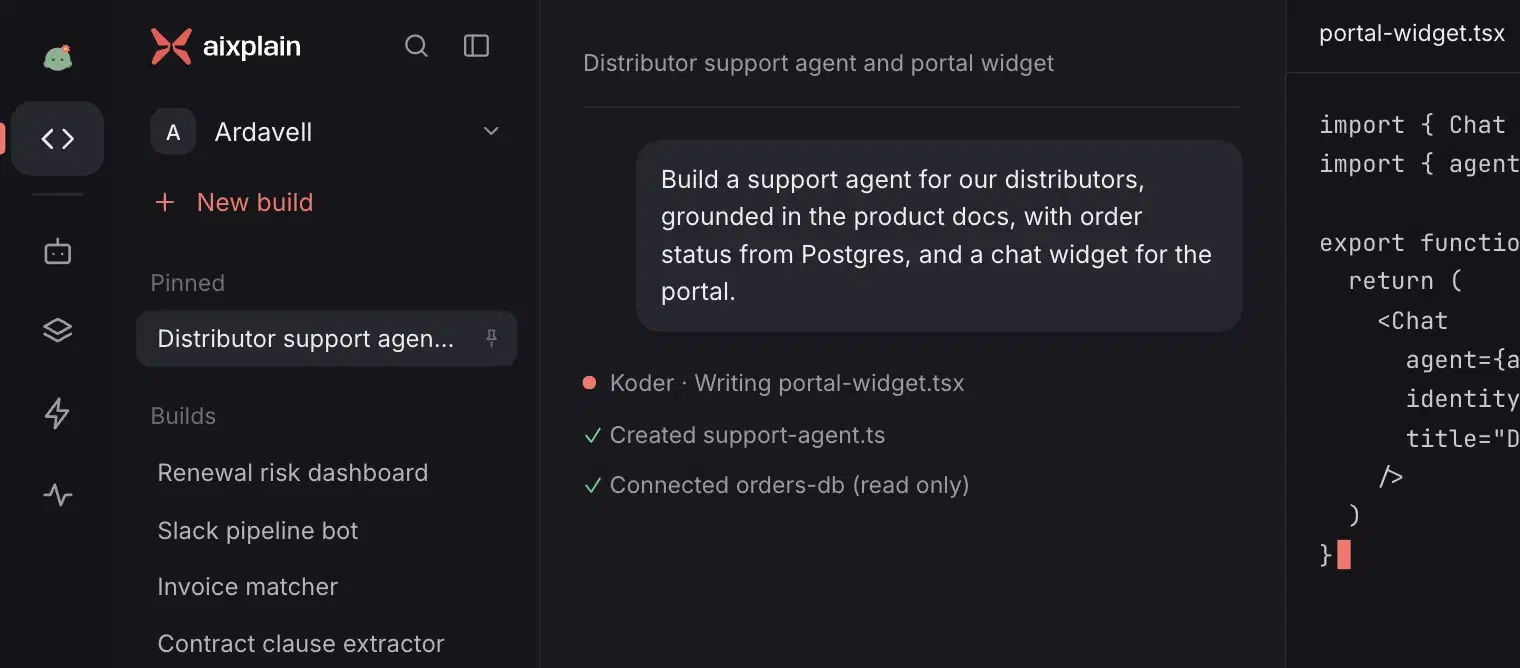
  • Koder
  • Inspector
  • Bodyguard
  • Architect

Marketplace

Shared with other workspaces, or public.

1,000+models and tools
Your own, private in your Library

Built-in agents inside the OS.

They manage the life cycle of every agent, from building and inspecting it to evaluating and evolving it, so your organization scales without adding headcount.

Every agent is a service you own.

Every agent you build on the OS gets an owner, an API and a budget, and runs wherever your rules say.

  • Built

    From a task in Omni, in your codebase with Koder, or from a plain description.

  • Deployed

    A REST API and MCP endpoint, reached with a key, with rate limits and a budget. It runs 24/7 on aixplain cloud or your servers.

  • Owned

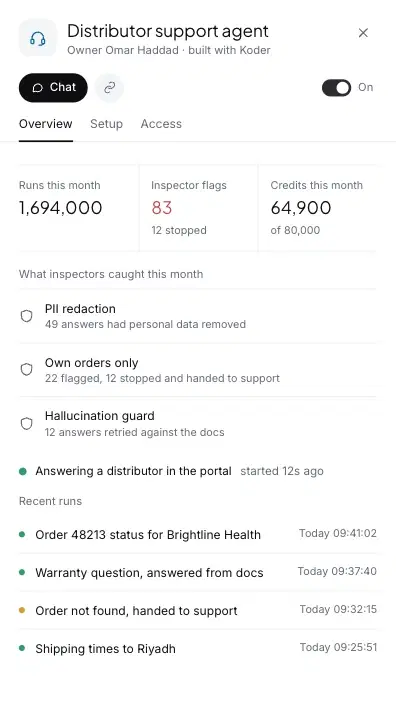
    A named owner, inspectors on every run, and the time and cost of each run.

  • Shared

    Private in your Library, shared with the workspaces you choose, or published to the Marketplace.

  • Swapped

    Change the model or the server with no rebuild. Its owner, policies and history stay.

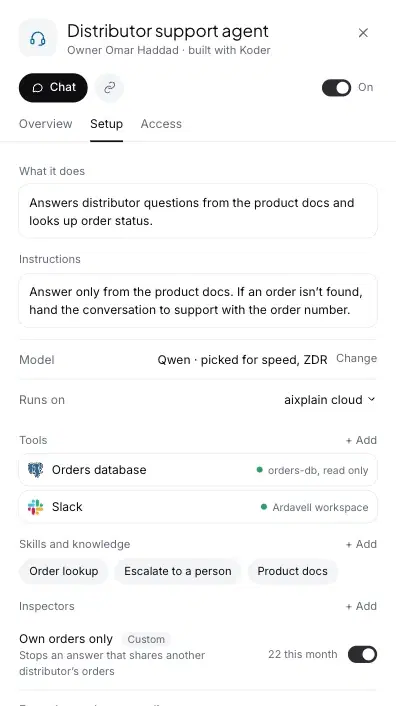
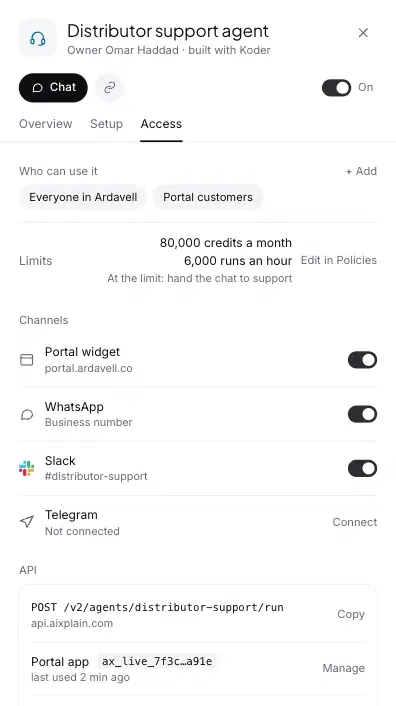
An agent's overview in the aixplain app: runs, inspector flags and credits this month, what inspectors caught, and recent runsAn agent's setup in the aixplain app: its instructions, the model it runs on and where, its tools and its inspectorsAn agent's access in the aixplain app: who can use it, its credit and run limits, its channels, and its API endpoint and keys

Where your data moves and lives.

Omni and Koder run on your desktop. A cloud model or tool gets only the step it handles.

Model
Tool

Your laptopPersonal workspace

  • Omni and what it remembers
  • Your files
  • Traces of every run
  • Local model
  • Local tools and scripts

If you’re in an organization, your laptop activity may be synced to the connected cloud or server.

aixplain cloud / private server

  • Model you picked
  • Tools you use
  • Agents you created
  • Telemetry: billing and usage

Nothing leaves your laptop. Not even telemetry.

Agents live on aixplain cloud, or on your own servers if your organization set them up, never on your desktop. When you call one, its full traces stay where it’s hosted.

Questions.

How do I install aixplain?

Install the desktop app and choose aixplain as your model provider, or another provider, including Ollama to host models locally. For enterprises and governments, the desktop app goes on every user’s computer and connects to the aixplain OS on your servers, which runs on CPUs. Connect your own model servers on GPUs, or any cloud provider, to it.

Where do the agents we build run?

In our cloud or on your own servers, 24/7 behind a secure API. In the desktop app, Omni and Koder run on your machine, with local or cloud models, and that work stays on it. Deploying your agents in the desktop app is coming soon.

Make everyone on your team an AI operator.

Ask Omni to do a task, or build with Koder in the desktop app. Free credits to use within 7 days, with no card needed.